













ABOUT DRIVE WORKS
Automate Your Product Design & Configuration
DriveWorks helps businesses create powerful design automation and online 3D product configurator solutions tailored to their specific products and processes.
Empower engineers, sales teams, distributors, and customers to design, configure, and order customised products from any device, while reducing manual effort.
DriveWorks automates the generation of order-specific sales documentation and SOLIDWORKS manufacturing data, helping your team move seamlessly from customer requirements to production.
SOLUTIONS
DriveWorks provides powerful design automation and product configurator solutions for companies using SOLIDWORKS®. It helps automate repetitive design tasks, generate customized products, create drawings and documents, and manage configuration-based projects more efficiently. By reducing manual work and standardizing workflows, DriveWorks can help engineering and manufacturing teams save time, improve accuracy, and respond faster to customer-specific requirements.
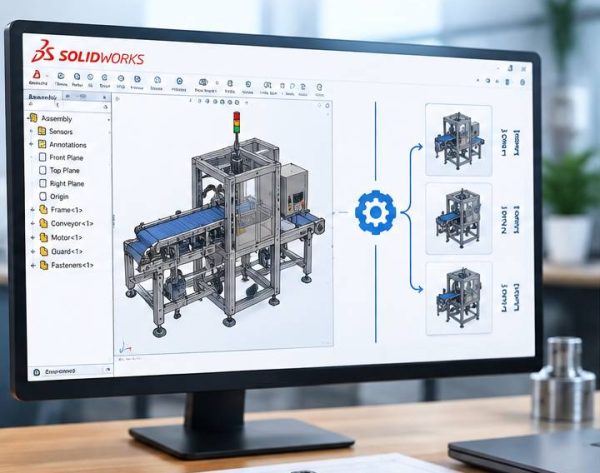
Automate repetitive SOLIDWORKS® design tasks and generate product variations quickly. Save engineering time, reduce errors, and make your design-to-manufacturing workflow more efficient.
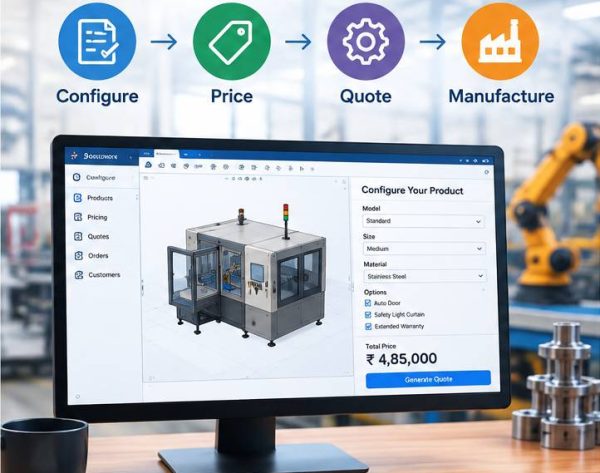
Streamline your manufacturing process with Configure, Price, Quote (CPQ) and automation tools. Reduce manual work, improve quotation accuracy, and help your team deliver customized products faster.
SOFTWARES
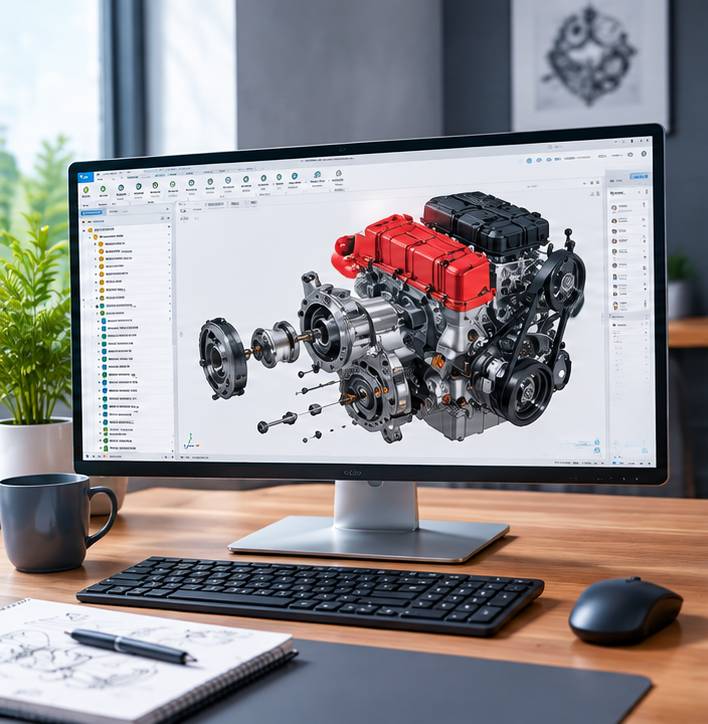
DriveWorks offers a range of software solutions designed to automate SOLIDWORKS® design, configuration, quoting, and engineering processes. The main solutions include:
DriveWorks Xpress

DriveWorks Solo

DriveWorksXpress

DRIVEWORKS BENIFITS
- Easy-to-Use Interface – Simple and intuitive design makes daily operations easier for users.
- Centralized Management – Manage customers, vehicles, services, records, and business activities from one platform.
- Real-Time Tracking – Monitor important activities and updates in real time.
- Automated Workflows – Reduce repetitive manual work by automating routine processes.
- Smart Reports & Analytics – Get useful insights through organized reports and dashboards.
- Secure Data Management – Keep business information organized with controlled access and secure data handling.
- Improved Productivity – Streamline operations and help teams complete tasks faster.
- Better Customer Management – Maintain customer information and service history in one place.
- Scalable Solution – Designed to support growing business needs and increasing operational requirements.
- Accessible Anytime – Access essential information and manage operations conveniently from anywhere.
Looking For DRIVEWORKS Software?
ESSENTIAL TOOLS
PROFESSIONAL
- Draw Tools (Line, Polyline, Arc, Circle, Ellipse, Table, Hatch, Cloud, Block…)
- Modify Tools (Move, Copy, Rotate, Array, Scale, Trim, Chamfer, Split…)
- Layer, Block, Group, Print
- Standard Compliant Drawings
- Polyline Editing
- Auto-Hiding of Palettes
- Community Forum Support
- Entity Highlighting
- Hatch Layer
- Discarding Duplicate Entities †
PREMIUM (3D)
- Draw Tools (Line, Polyline, Arc, Circle, Ellipse, Table, Hatch, Cloud, Block…)
- Modify Tools (Move, Copy, Rotate, Array, Scale, Trim, Chamfer, Split…)
- Layer, Block, Group, Print
- Standard Compliant Drawings
- Polyline Editing
- Auto-Hiding of Palettes
- Community Forum Support
- Entity Highlighting
- Hatch Layer
- Discarding Duplicate Entities †
ENTERPRISE
- Draw Tools (Line, Polyline, Arc, Circle, Ellipse, Table, Hatch, Cloud, Block…)
- Modify Tools (Move, Copy, Rotate, Array, Scale, Trim, Chamfer, Split…)
- Layer, Block, Group, Print
- Standard Compliant Drawings
- Polyline Editing
- Auto-Hiding of Palettes
- Community Forum Support
- Entity Highlighting
- Hatch Layer
- Discarding Duplicate Entities †
ENTERPRISE PLUS (3D)
- Draw Tools (Line, Polyline, Arc, Circle, Ellipse, Table, Hatch, Cloud, Block…)
- Modify Tools (Move, Copy, Rotate, Array, Scale, Trim, Chamfer, Split…)
- Layer, Block, Group, Print
- Standard Compliant Drawings
- Polyline Editing
- Auto-Hiding of Palettes
- Community Forum Support
- Entity Highlighting
- Hatch Layer
- Discarding Duplicate Entities †
PROFESSIONAL
- Draw Tools (Line, Polyline, Arc, Circle, Ellipse, Table, Hatch, Cloud, Block…)
- Modify Tools (Move, Copy, Rotate, Array, Scale, Trim, Chamfer, Split…)
- Layer, Block, Group, Print
- Standard Compliant Drawings
- Polyline Editing
- Auto-Hiding of Palettes
- Community Forum Support
- Entity Highlighting
- Hatch Layer
- Discarding Duplicate Entities †
PREMIUM (3D)
- Draw Tools (Line, Polyline, Arc, Circle, Ellipse, Table, Hatch, Cloud, Block…)
- Modify Tools (Move, Copy, Rotate, Array, Scale, Trim, Chamfer, Split…)
- Layer, Block, Group, Print
- Standard Compliant Drawings
- Polyline Editing
- Auto-Hiding of Palettes
- Community Forum Support
- Entity Highlighting
- Hatch Layer
- Discarding Duplicate Entities †
ENTERPRISE
- Draw Tools (Line, Polyline, Arc, Circle, Ellipse, Table, Hatch, Cloud, Block…)
- Modify Tools (Move, Copy, Rotate, Array, Scale, Trim, Chamfer, Split…)
- Layer, Block, Group, Print
- Standard Compliant Drawings
- Polyline Editing
- Auto-Hiding of Palettes
- Community Forum Support
- Entity Highlighting
- Hatch Layer
- Discarding Duplicate Entities †
ENTERPRISE PLUS (3D)
- Draw Tools (Line, Polyline, Arc, Circle, Ellipse, Table, Hatch, Cloud, Block…)
- Modify Tools (Move, Copy, Rotate, Array, Scale, Trim, Chamfer, Split…)
- Layer, Block, Group, Print
- Standard Compliant Drawings
- Polyline Editing
- Auto-Hiding of Palettes
- Community Forum Support
- Entity Highlighting
- Hatch Layer
- Discarding Duplicate Entities †